
Table of Contents
ToggleA Simple Guide to Understanding POS Systems for Your Business
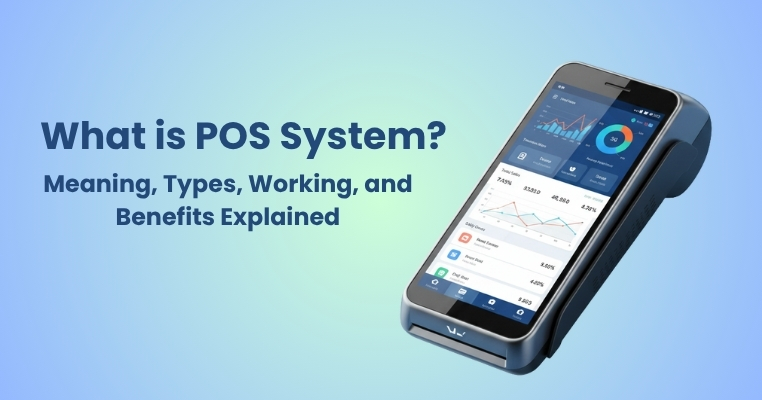
You’ve undoubtedly seen the store owner using a tiny device to accept card or UPI payments when you enter a store, restaurant, or even a petrol pump. The term “POS system” refers to both the hardware and the software that powers it.
POS stands for Point of Sale, which simply means the place where a sale happens — where the customer pays and the business receives money.
In the past, sales were recorded using calculators and manual registers. However, POS systems, which combine hardware and software, are now used by modern businesses to streamline and expedite billing, payment, and reporting.
A POS system helps businesses handle transactions, track inventory, generate invoices, and even manage customers — all in one place.
Hence, a point-of-sale system can streamline the day-to-day operations of any business, be it a supermarket, restaurant, or small retail store.
What Exactly is a POS (Point of Sale) System?
A Point of Sale (POS) system is a combination of tools used to complete a sale and record payment details. It includes:
- POS Machine (Hardware) the device used to swipe cards or scan QR codes.
- POS Software – the system that calculates totals, applies taxes or discounts, and records the sale.
When a customer pays for goods or services, the POS system records the payment, updates the inventory, and generates a bill instantly
So, in short, a POS system is where your customer makes a payment and your business records it — whether offline in a store or online through a website.
Different Types of POS Systems Used by Businesses
POS systems are available in a variety of configurations based on the size and nature of the company. Let’s understand the most common types:
1. Traditional POS (On-Premise)
These are computer-based point-of-sale systems that are set up in the physical store. Large retail establishments and restaurants are their primary users, and they typically require a server.
2. Cloud-Based POS
This modern POS is fully online. You can use your laptop or phone to access data, sales, and reports from any location. For small and medium-sized enterprises, it is perfect.
3. Mobile POS (mPOS)
Mobile point-of-sale (mPOS) systems are app-based and compatible with tablets and smartphones. They’re easy to carry and perfect for delivery-based or quick-service businesses.
4. Self-Service POS
Used in supermarkets or movie theatres where customers can scan and pay themselves without a cashier.
5. Tablet POS
These use a tablet as the main device, often seen in cafes or pop-up stores. They are stylish, affordable, and simple to set up.
Each POS system has its own features, so the right choice depends on how your business operates.
How Does a POS System Actually Work?
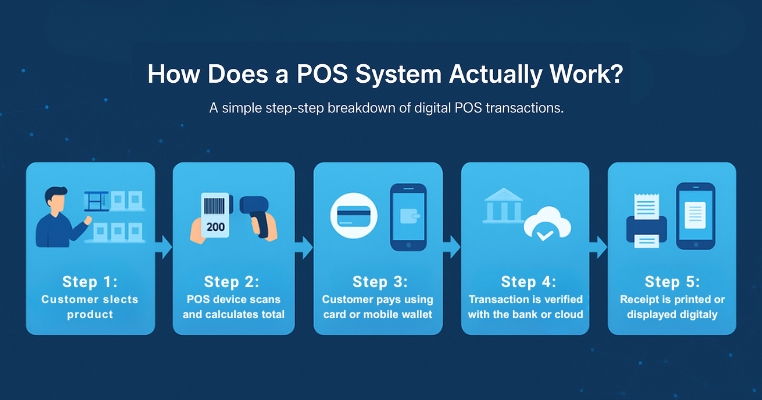
The working of a POS system is quite simple, but it happens in a few quick steps:
1. Customer selects a product or service
The billing process begins when a customer decides to buy something.
2. POS software calculates the total amount
It adds the product prices, includes GST or other taxes, and shows the final amount to pay.
3. Customer chooses the payment method
Payment can be made using debit/credit cards, UPI, wallets, or cash.
4. POS system processes the payment
Once payment is made, the POS verifies it through a bank or payment gateway and confirms the transaction.
5. Receipt generation and data storage
A bill is printed or sent digitally, and the transaction details are saved in the system for reports and accounting.
This entire process happens within seconds, helping businesses handle hundreds of customers every day smoothly.
Understanding the Difference Between POS System and POS Machine
Many people think a POS machine and POS system are the same, but there’s a difference.
POS System vs. POS Machine
| Feature | POS System | POS Machine |
|---|---|---|
|
Meaning
Functions
Usage
Example |
A full setup of hardware + software to manage sales, billing, and reporting.
Billing, payment, inventory, reporting, CRM.
Used by retailers, restaurants, supermarkets, etc.
Cloud-based POS software with inventory tracking. |
A physical device used mainly for card/UPI payments.
Payment collection only.
Used by small shops and delivery agents for payment collection.
A swipe machine connected to a bank. |
So, a POS machine is just one part of a complete POS system.
Common Use Cases of POS Machines
POS machines are now used across many industries because they make payments simple and secure. Some popular use-cases include:
1. Retail Stores
For billing and collecting card/UPI payments.
2. Restaurants & Cafes
To take quick payments at the counter or at the table.
3. Petrol Pumps
For customers who prefer digital transactions.
4. Hotels
To handle payments during checkout.
5. Hospitals & Clinics
For patients to pay consultation or treatment fees.
6. Delivery Businesses
Agents can collect payment on delivery using mPOS.
7. Shopping Malls
To support multiple counters and central reporting.
So, whether your business is small or large, a POS machine can make your collection process more convenient.
Key Benefits of Using a POS System for Your Business
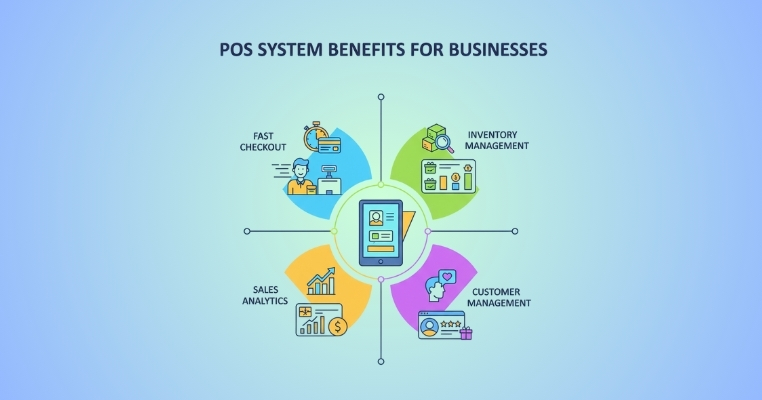
A POS system handles much more than transactions; it streamlines your entire sales process. Here are the main advantages:
1. Faster and Easier billing
No more manual entry — bills are generated in seconds with accurate tax and discount calculations.
2. Better Inventory Management
Every sale automatically updates your stock count, allowing you to avoid overstocking or shortages
3. Real-Time Sales Insights
You can check daily sales, top-selling items, and profits in real time — from anywhere.
4. Improved Customer Experience
Quick billing and multiple payment options make customers happier and more likely to return.
5. Reduced Errors
Automation reduces manual mistakes in pricing and stock management.
6. Safe and Secure Payments
All transactions are encrypted, ensuring payment safety for both merchants and customers.
7. Easier GST and Accounting
You can easily generate GST-compliant invoices and export data for accounting.
8. Saves Time and Effort
POS systems handle everything from billing to reports, so you can focus on growing your business.
A smart POS system is like having a digital assistant — it takes care of your daily operations efficiently.
How to Choose the Right POS Machine for Your Business?
Selecting the right POS machine can be confusing, but you can make the right choice by considering these factors:
1. Business Type and Size
Choose a system that fits your business scale — small shops can go for mPOS, while big outlets need cloud-based ones.
2. Accepted Payment Methods
Ensure it supports UPI, debit/credit cards, and QR code payments.
3. Connectivity Options
Machines should work with Wi-Fi, SIM, or Bluetooth to avoid disruptions.
4. Transaction Speed
Faster processing ensures customers don’t wait in long queues.
5. Integration with Software
Choose one that can sync with your accounting or inventory software.
6. Customer Support and Maintenance
Go for a provider that offers 24×7 support and easy repairs.
7. Cost and Charges
Compare machine costs, setup fees, and transaction charges before deciding.
A good POS machine should make your work easier — not more complicated.
Conclusion
A POS system is now an essential part of every modern business. Whether you run a grocery store, salon, restaurant, or e-commerce shop, having a reliable POS helps you manage sales, accept payments, and track business growth easily.
With the rise of digital payments in India, adopting a good POS system is no longer a luxury — it’s a necessity. It not only saves time but also improves accuracy, security, and customer satisfaction.
So, if you haven’t upgraded your business yet, now is the time to invest in a POS solution that fits your needs and scales with your success.
Frequently Asked Questions (FAQs)
1. What is a POS transaction?
A POS transaction happens when a customer makes a payment through a card, UPI, or wallet at a point of sale terminal.
2. What is the POS limit?
Banks often set daily or per-transaction limits for POS transactions — usually between ₹25,000 to ₹2,00,000 depending on your card type.
3. What does POS mean in retail?
In retail, POS means the counter or place where customers make payments for their purchases.
4. Who offers retail POS in India?
Several companies like WavexPay, Pine Labs, Razorpay, and Paytm offer POS systems for Indian merchants.
5. What’s different between retail POS software and POS systems?
Retail POS software handles billing and reporting, while a POS system includes both software and hardware (machine + display + printer).
6. What is POS with banking?
It refers to POS devices provided by banks to merchants for accepting debit/credit card payments directly into their bank accounts.
7. Is POS transaction safe?
Yes, POS transactions are encrypted and processed through secure banking networks, ensuring safe payments.
8. What are POS charges in the bank?
Banks may charge a small fee per transaction or a monthly rental for POS machines, depending on usage and agreement.